Workshop Overview
Extend your Excel horizons with CMBI's "Introduction to Advanced Excel" training workshop.
We present the workshop as a series of practical exercises, guiding you through Excel's latest feastures and tools. Depending on your team's preference, we use Excel 2010, 2013, 2016, or Microsoft 365, and all our workshop exercises are supported by detailed course materials for reference during and after the training day.
How it works
- STEP 1 - Decide training venue: CMBI host in Sydney CBD or at your premises
- STEP 2 - Agree a training date with your team
- STEP 3 - Register your data and location preference or send an enquiry
We will contact you the same day.
STEP 1 - Choose Venue
Where would you like to hold the training
- We host: International Towers in Barangaroo, Sydney (five minutes walk from Wynyard station)
- You host: we come to your office and present the training onsite
STEP 2 - Date & Venue

Time: 9:00am to 5:00pm
Date: You decide
STEP 3 - Register now for same day confirmation
Complete the details below to register or express interest. We will contact you very shortly.
Continuing Professional Development (CPD)
Upon completion of the workshop, all attendees will receive a certificate of achievement to support on-going professional development requirements.
Post-Training Support & Materials
Our course materials support learning and re-enforcement well beyond the workshop. Each attendee receives a USB of annotated videos covering all the concepts and techniques introduced during the workshop. We also provide email support for any questions arising from the workshop or training materials.
Visit the Learning and Support Materials page to view an example of our post-training support videos.
Workshop Overview
A detailed course outline is available on request.
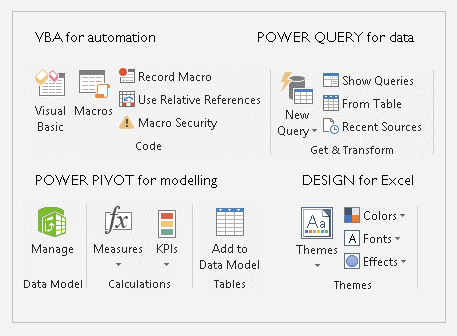
- Advanced Excel features introduction and configuration
- Data import and manipulation with Power Query
- Automating routine Excel tasks in VBA
- Getting user input with VBA
- Data integration, analysis, and report automation with Power Pivot
- Professional report design in Excel
Meet Your Trainers
CMBI's training sessions are designed and presented by Colin McGowan and Julie McGowan, who have over 30 years' combined data analytics and reporting systems experience across a broad range of industries. Our courses reflect this real world experience with a focus on the skills business professionals need to lead their data-driven organisations.
Find out more about what differentiates CMBI's workshop at Why Choose CMBI for Training?
About CMBI
CMBI don't just offer training in Advanced Excel. We've been building Excel solutions for clients in Sydney and regional NSW since 2010. Visit the pages below to view some of our samples and to download example models.
Our technical and training expertise includes Power BI, Power Query, Power Pivot, Power BI Desktop, Excel, SQL Server, Analysis Services, SharePoint BI, and Tableau.
Contact Us
For more information on the training and other services we offer, contact Julie McGowan via our contact page.